

Photos
Shoppers can’t touch your clothes, so the photos do all the work. Good photos also make your products look better in muse drops and in the shop.The basics
- Up to 6 photos per product.
- JPEG, PNG or WebP, each one 5 MB or smaller. If a photo is too big, you’ll see “Each image must be 5 MB or smaller.” Save a smaller copy and try again.
- Every photo is cropped to a square, the same shape shoppers see in the shop. When you add a photo, drag the crop box so the whole piece stays in the frame.
What makes a good photo
1
Show the whole piece first
Make your first photo the full garment, front on. It’s the one shoppers see in the shop, so they should know what it is at a glance.
2
Use daylight or bright, even light
Shoot near a window or outside in the shade. Avoid strong yellow lamps, which change the colour.
3
Keep the background plain
A plain wall, floor or sheet works well. Clutter pulls the eye away from the clothes.
4
Add the details
Use your other photos for the back, close-ups of the fabric, buttons or print, and the label. A photo of someone wearing it helps shoppers picture the fit.
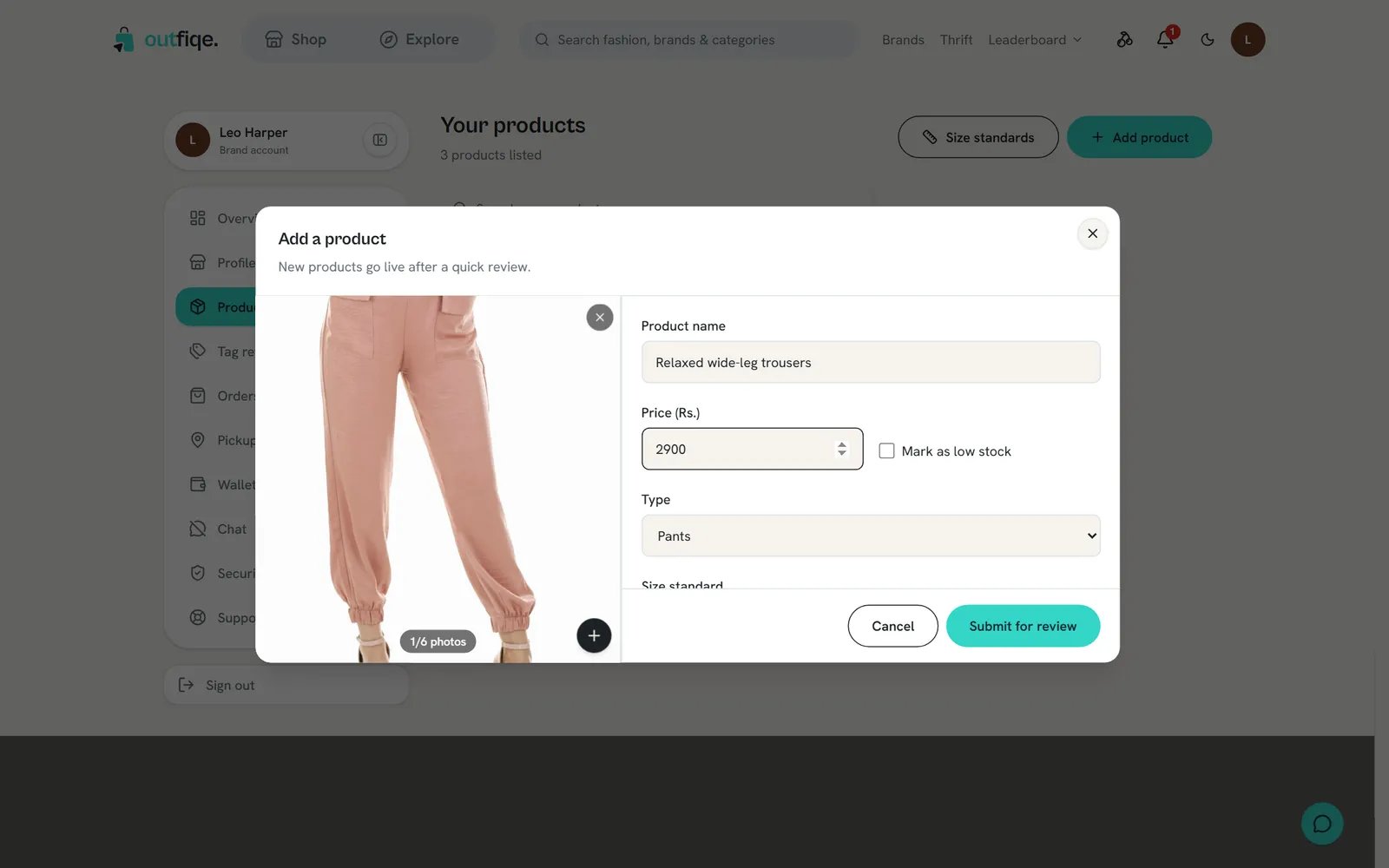
A clear first photo and a name that says what the piece is.
Photos we don’t approve
- photos taken from another website, shop or social media account
- photos of a different item, or a different colour from the one you’re selling
- collages, or several different products in one photo
- watermarks, phone numbers, website addresses or other shop names on the photo
- photos so dark, blurry or small that you can’t see the piece
Name, type and categories
- Name it after what it is. “Linen band-collar shirt” tells a shopper far more than “SKU 2041” or “New arrival”.
- Pick the right type. The type decides whether the product takes a size chart. A shirt listed as an accessory loses its size chart, and shoppers lose their size suggestion.
- Pick categories that match the photos. Shoppers browse by category, so a wrong one hides your product from the people looking for it.
Sizes, stock and size charts
Fill in every size you sell, with its real stock. For clothing, also fill in the height and weight range each size fits. Without those ranges, shoppers don’t get a size suggestion for that size. Our review lets a product through with an unfinished size chart, but we’ll point it out to you. Products with complete charts get fewer returns. See size standards and size charts.Thrift pieces
Thrift pieces are secondhand or one of a kind. There’s only one of each, so shoppers rely on your description more than usual. A Thrift listing needs two extra things before you can send it for review.Choose the condition
If you’re between two ratings, pick the lower one. A shopper who gets a piece better than described is happy. A shopper who gets one worse than described asks for a refund.
Write an honest condition note
The note can be up to 500 characters. Say what’s wrong and where, in plain words.Helpful
Small ink mark on the inside of the left cuff, about the size of a fingernail. Slight fading on the shoulders. No holes or stains.
Not helpful
Good condition. Some signs of wear.
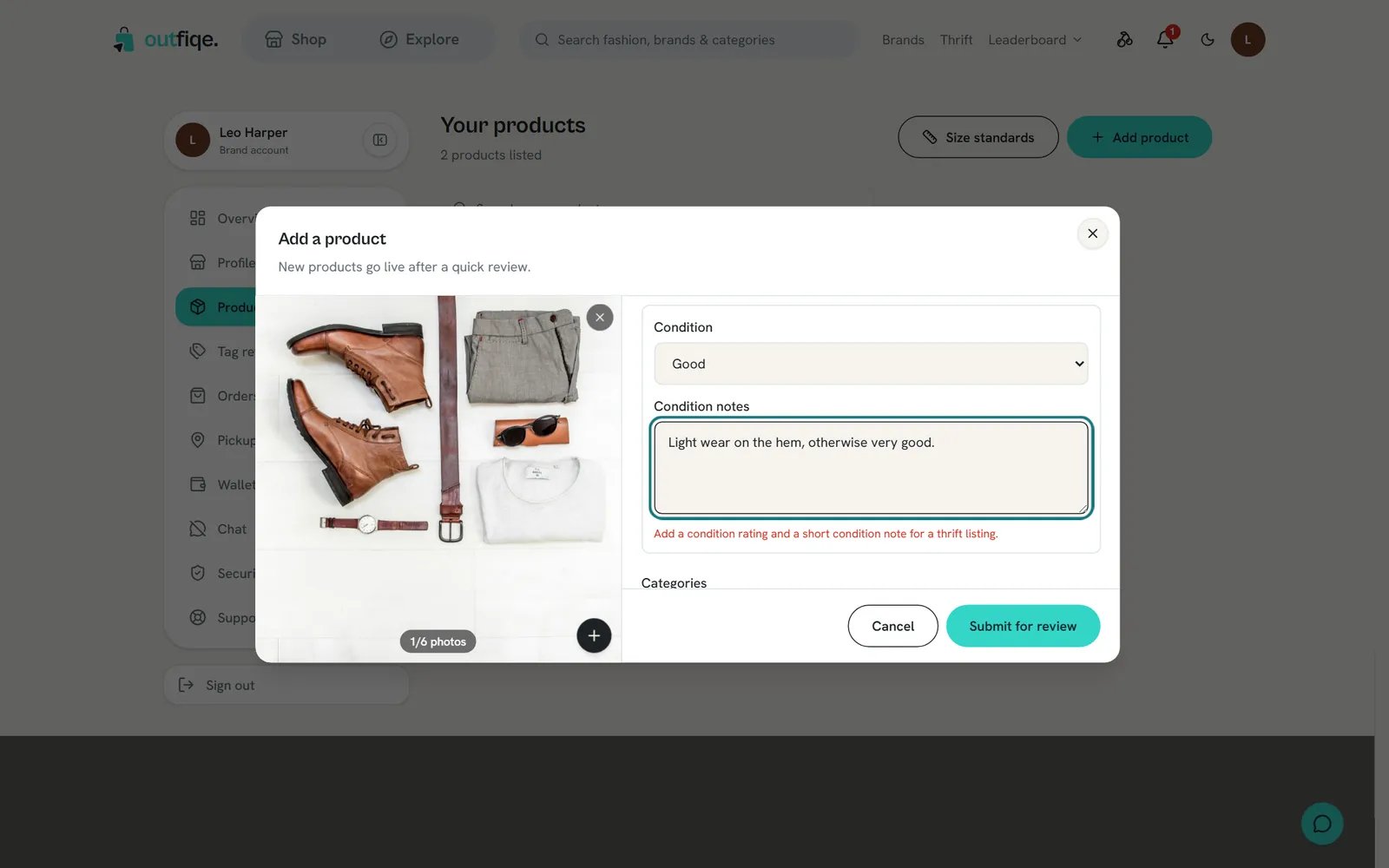
A Thrift listing needs a condition and a note before you can send it.
If a product isn’t approved
The product card shows Not approved. Shoppers can’t see it.1
Check it against this page
Most products that aren’t approved have a photo, name or type problem from the lists above.
2
Ask us if you're not sure why
Contact us through Support in your dashboard with the product name, and we’ll tell you what to change.
A quick checklist
Before you choose Submit for review, check that:- The first photo shows the whole piece on a plain background.
- Every photo is your own, of this exact item.
- The name says what the piece is.
- The type and categories match the photos.
- Every size has its stock, and clothing has its height and weight ranges.
- Thrift pieces have a condition, an honest note, and a photo of every mark.