

Partners
Partners lists every muse who’s helped sell your pieces, with:- Tag clicks: how often shoppers tapped their tags on your products
- Orders they brought: orders that came through their tags or links
- Sales they brought: the value of those orders
- Last activity: when they last did something for your brand
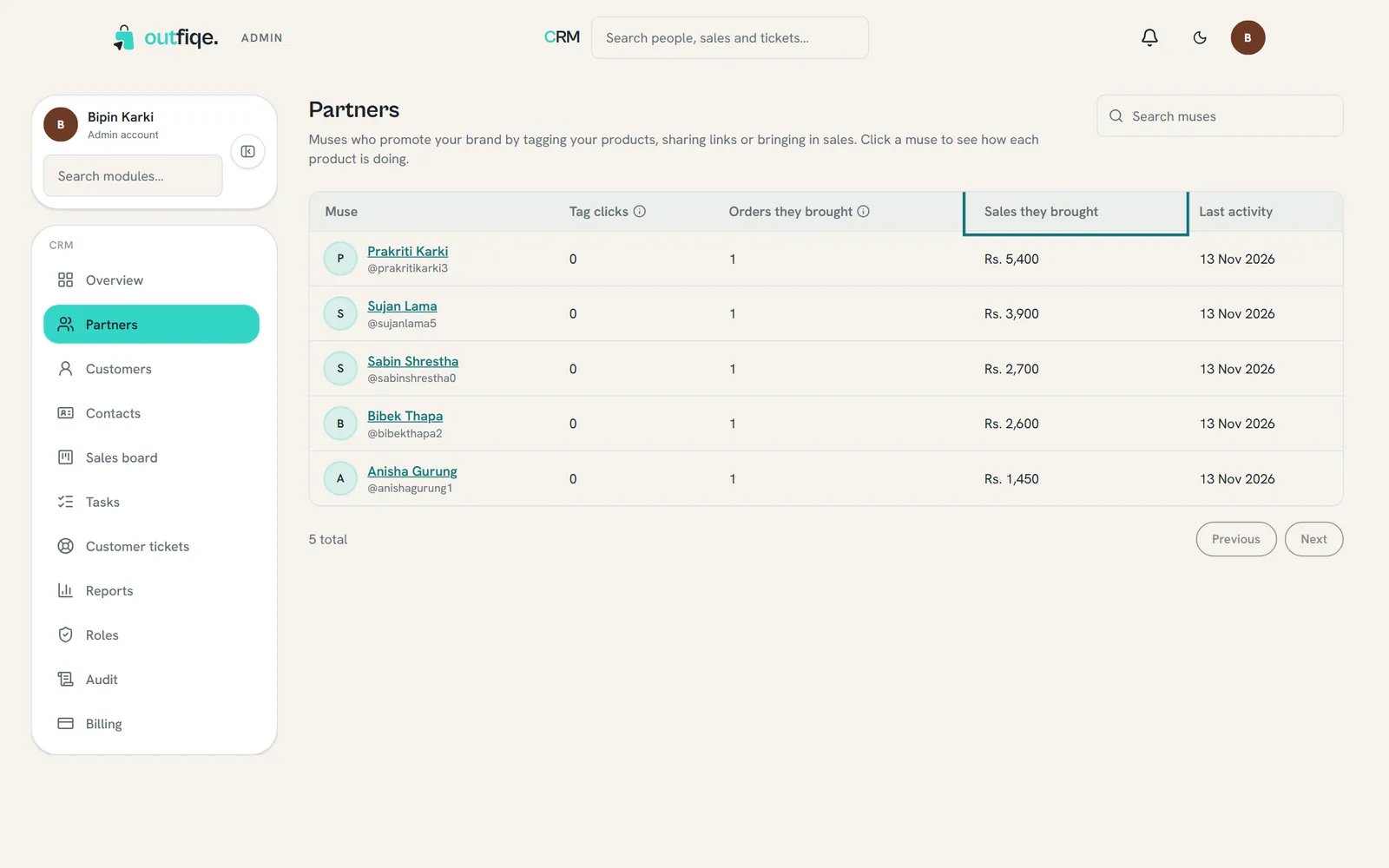
Sales they brought shows which muses really move your products.
- Per product: which of your products this muse helps sell
- Recent orders they brought: the latest orders through them, each one clickable
- any opportunities, tickets and open tasks linked to them, and a Timeline
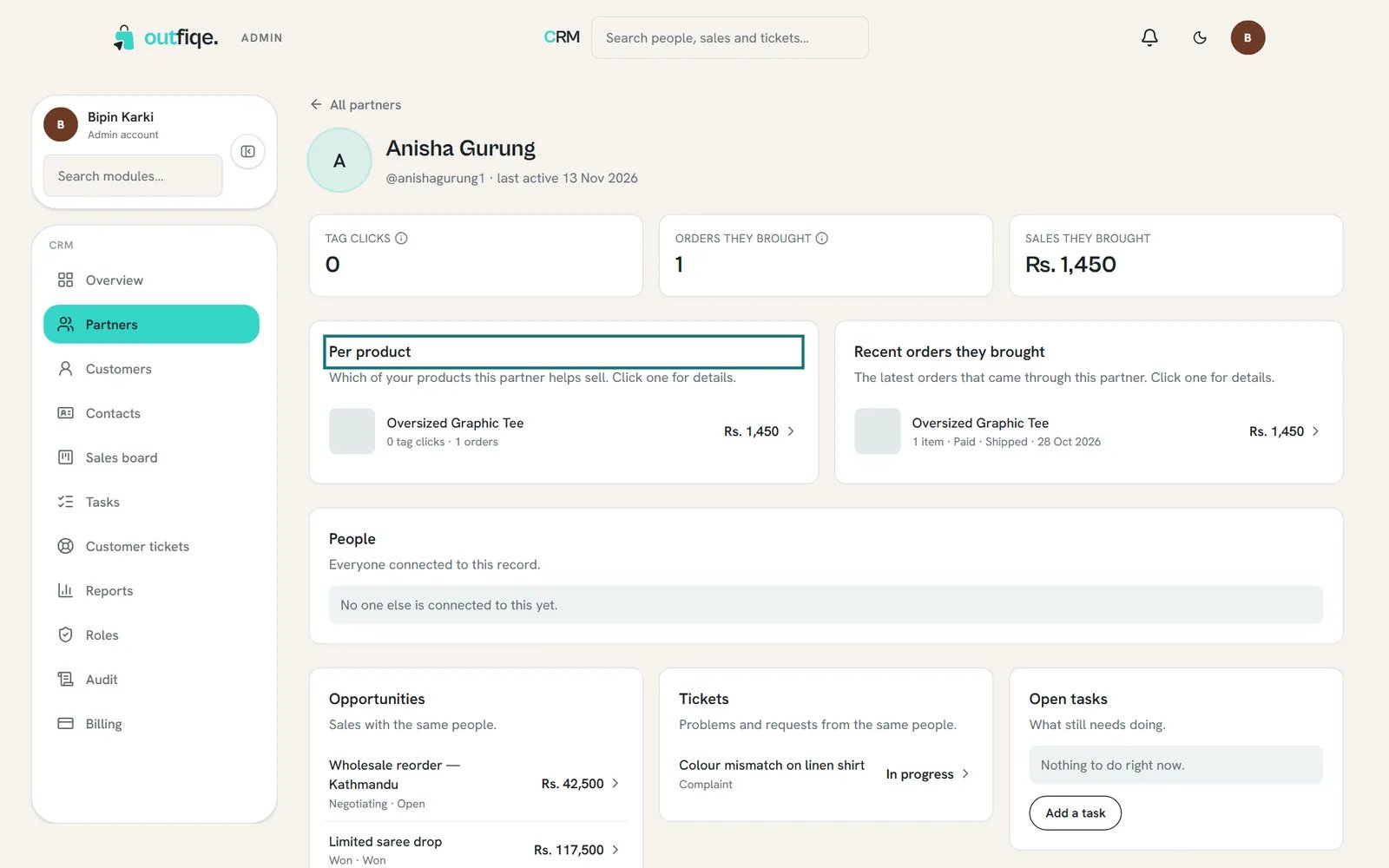
Per product shows which of your pieces a muse is best at selling.
Customers
Customers lists every shopper who’s bought from your brand, with how many orders and items, the Total paid, and their Last order. Use Search shoppers to find someone, and choose a name to open their page.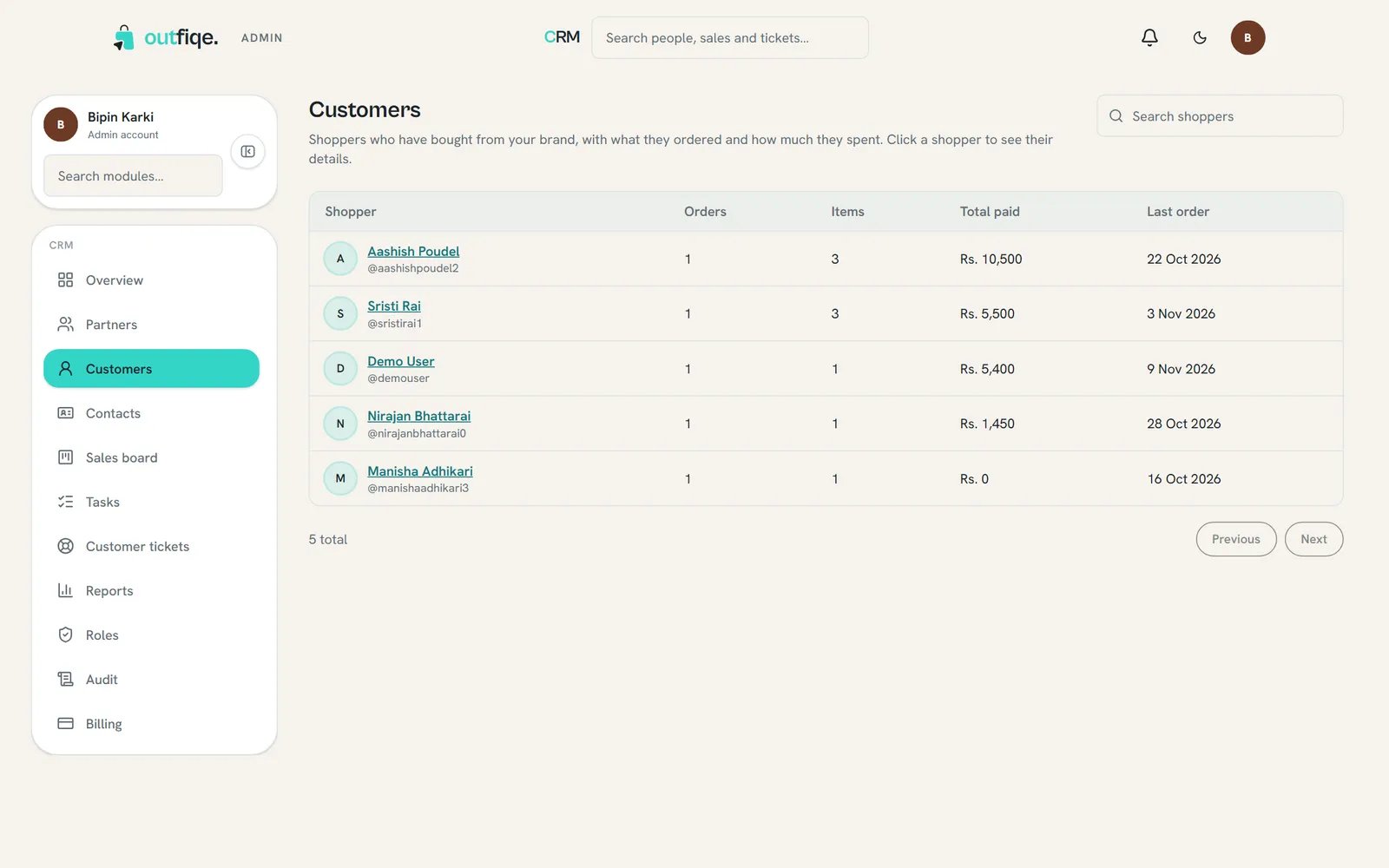
Your customers, with what they've bought and when.
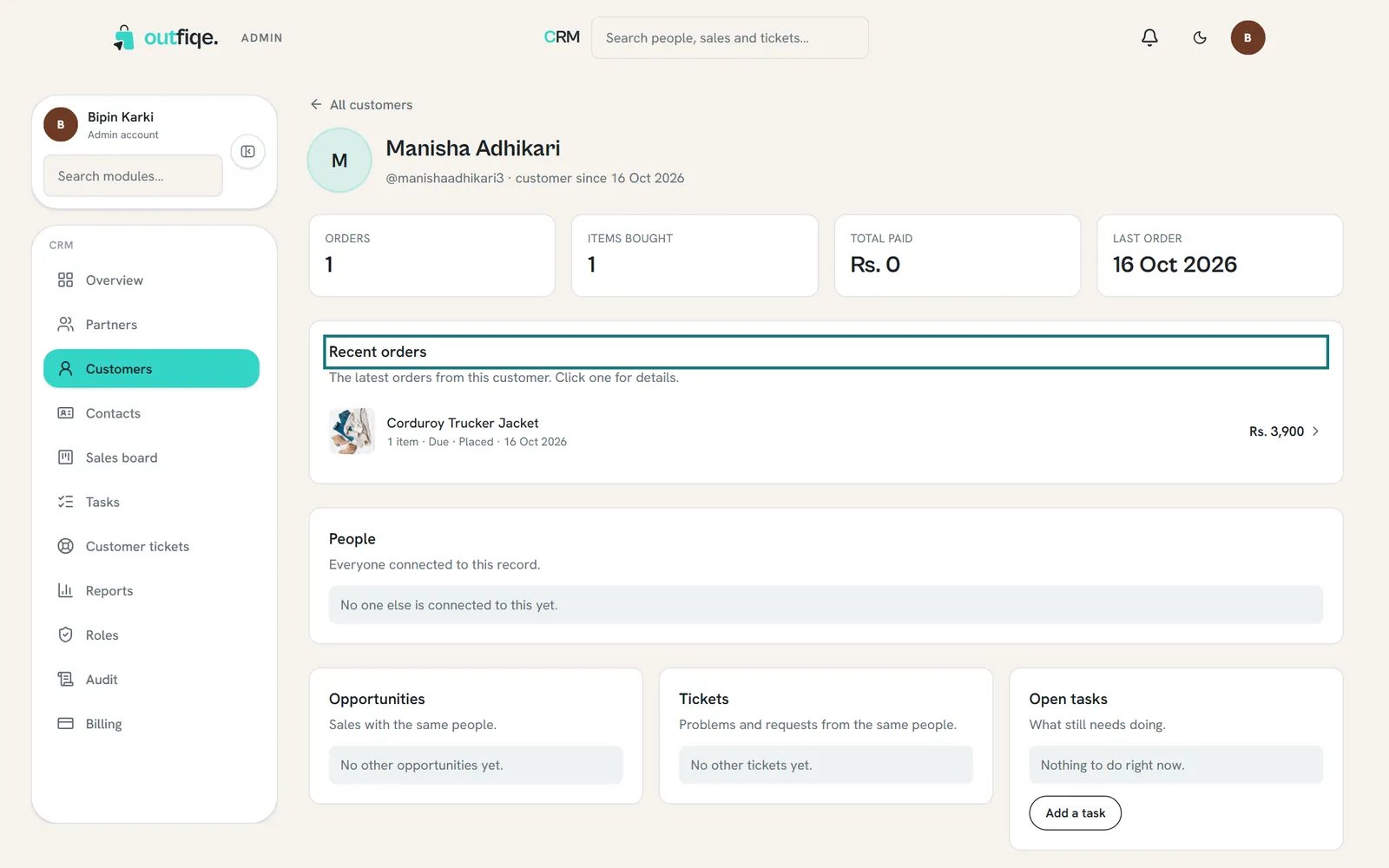
Open a customer to see every order they've placed with you.
Contacts
Contacts is for people who aren’t customers yet: a shop you’d like to stock you, a buyer from a trade show, a muse you’re hoping to work with.Add a contact
1
Open the form
On Contacts, choose New contact.
2
Fill in what you know
Only Name is needed. Add their Email, Phone, Company and Job title if you have them. Set the Lifecycle stage, choose an Owner on your team, note the Source, like “Trade show”, and add Tags separated by commas.
3
Save
Choose Create contact.
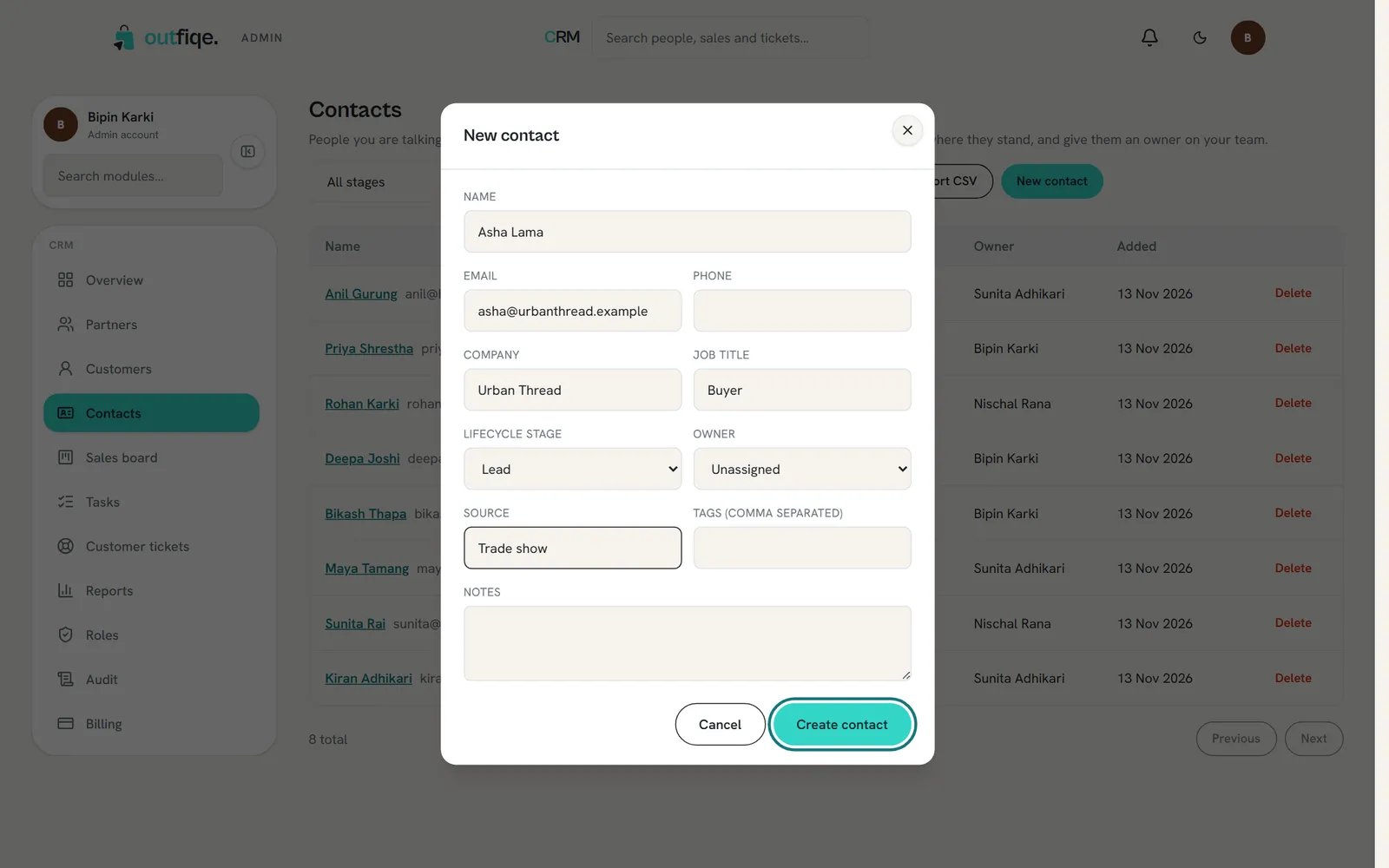
Only the name is needed. Fill in the rest as you learn more.
The lifecycle stage
The stage says how far along someone is:
Filter the list by stage and owner at the top of Contacts, or search by name. Choose Export CSV to download the list.
A contact’s page
Choose a name to open their page. It shows How to reach them, Your relationship (stage, who looks after them, where they came from, and whether they have an Outfiqe account), Notes and tags, linked records and their Timeline. Choose Edit to change their details.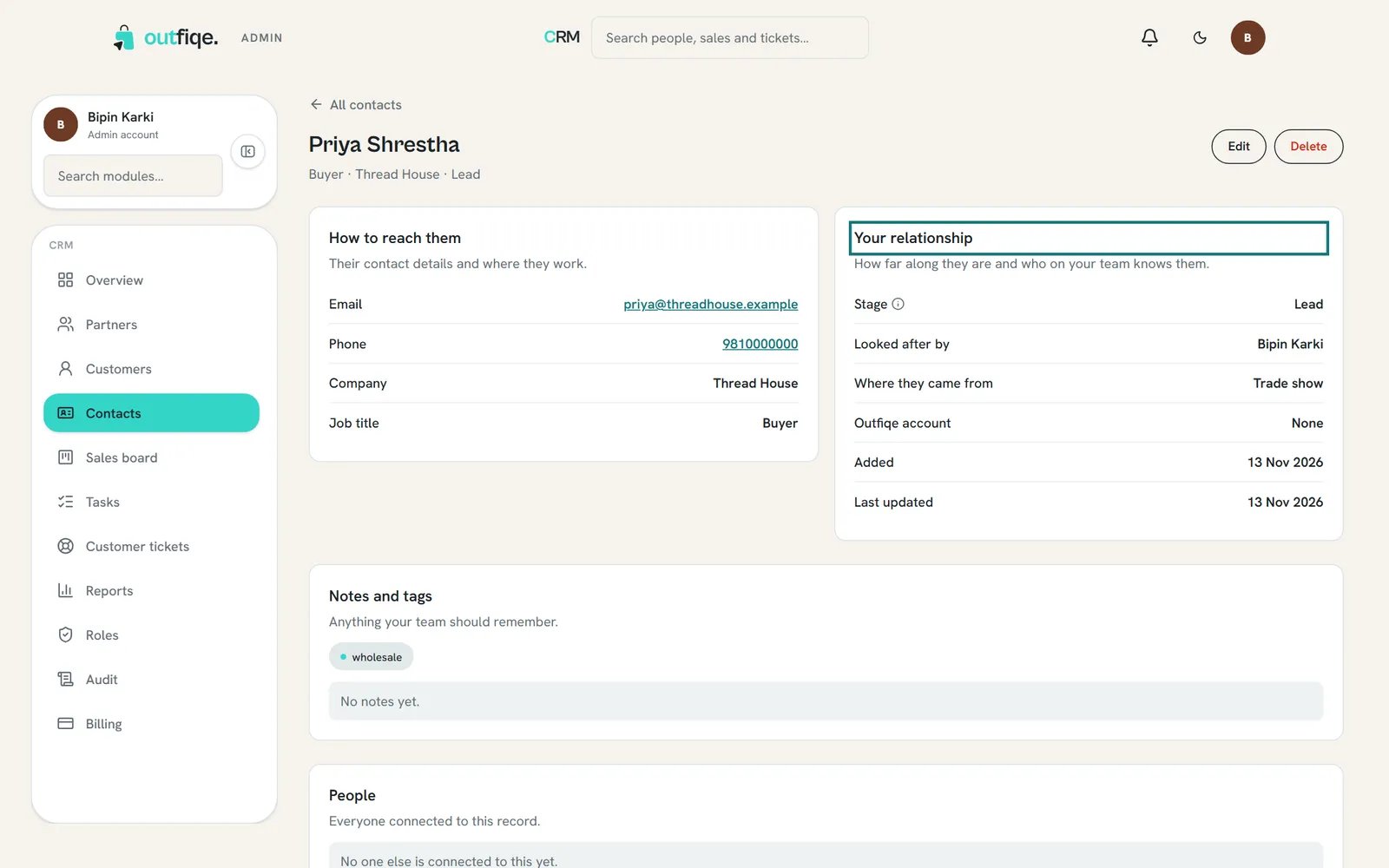
Everything about one person, and everything your team has done with them.